The brand was already set
CALA's red palette and seal predate this project. The job was to work within them.
I redesigned a nonprofit's outdated WordPress site into a self-manageable platform that grew weekly visitors 54x over its predecessor.
Site launched August 14, 2026 · Figures reflect the first 3 weeks live
The Charleston Association of Legal Assistants needed their site rebuilt. Their existing site ran on WordPress, a wall of text with almost no imagery, and the board found it difficult to update on their own. For an organization representing Charleston's paralegal community, the site gave no sense of place: nothing beyond the logo tied it to the city itself.
The challenge was twofold: modernize the site visually while keeping CALA's voice and meaning intact, even where the copy itself needed editing for clarity, and give the board a way to manage their own content, events, and members without relying on WordPress or on me.
How might we update the CALA website without losing anything the organization does, while adding Charleston's character and making it appealing to visit?
The response was a full redesign built around CALA's own brand colors, paired with Charleston imagery and a custom dashboard that puts the board in control of their own site.
CALA's red palette and seal predate this project. The job was to work within them.
Whoever maintains the site next year may not be who maintains it now, so nothing could depend on one person's memory.
The board needed to run the site day to day without code or outside help.
One person handled research through development, in seven weeks.
How I WorkedI used Claude throughout as a research and thinking partner: running the competitive analysis, pressure-testing the persona, mapping the first information architecture, brainstorming what the dashboard needed by comparison with Squarespace and Wix, and condensing CALA's copy without losing its voice. I fact-checked every finding myself and cross-referenced it through Gemini and ChatGPT, and verified the search implementation the same way before launch. Every decision here is mine; the tools got me there faster.
I looked at how other paralegal and bar associations present membership, CLE and event information, to learn the category's norms before deciding where CALA should follow them and where it should break away.
The research confirmed CALA wasn't alone in leaning on dense, text-heavy pages, but it also showed an opening: none of the sites reviewed used a strong sense of place, which gave CALA room to stand out by bringing Charleston into the visual identity.
CALA's board wanted a site that felt like Charleston's paralegal community. The old one read like a directory of bylaws and forms. Their members range from students entering the field to veteran paralegals maintaining certification, alongside sponsors and people trying to understand what the organization does. That range is why the site couldn't be built around one user type: a student researching whether to join needs different information upfront than a longtime member just checking event dates.
Danielle is a working persona built from the board's description of the members they serve. Keeping one member in mind focused the RSVP flow, the membership copy and the events page on someone who has already decided CALA is worth her time and needs the friction removed.
34 Certified Paralegal Charleston, SC
Wants to stay active in Charleston's paralegal community and keep her CLE credits current without much friction
A fast way to see upcoming events and RSVP directly, clear membership information, and a site that feels credible for a professional organization
Dense, text-heavy pages that bury event details, having to go through a contact form just to RSVP, and a site that gives no sense of the Charleston community CALA represents
Before development, I mapped out a first information architecture (below). It leads visitors from the homepage into CALA's core sections and then to events, where members RSVP directly. RSVP was the one action the old site made needlessly hard, routing it through the same generic contact form as everything else.
The architecture set the order of CALA's sections. The wireframe below shows how each page carries that order, reduced to grayscale so the layout has to work on hierarchy alone.
Danielle's biggest complaints were dense pages that buried event details and an RSVP buried in the contact form. Each event now sits in its own card with the date and location at the top and an RSVP button underneath, so she can find the next meeting and commit to it without a detour. The navigation stays at six items by grouping the Board and NALA pages under About, which keeps the IA's top level intact, and board bios open in place so the board page never sends her somewhere new.
An accessibility menu sits beside the navigation on every page, with controls for contrast, motion, spacing, and text size. Holding the site to WCAG 2.2 AA meant designing for members whose needs one persona can't fully represent.
To follow Danielle's most common path, start on the homepage and RSVP to the next event on the calendar.
The brand is what turns that structure into CALA's site, and it started from an identity the association already had.
CALA already had established brand colors, a deep red (#990100) with a darker red accent (#680000), grounded in black and white, so the identity work was about giving that palette more warmth and a stronger sense of place than the original site had. I paired it with Grenze for headers and Times New Roman for body text, keeping the professional tone the board wanted while introducing Charleston through photography of its steeples, cobblestone streets and harbor, used throughout the site instead of only in the logo.
#990100
Deep red carried over from CALA's established identity
#680000
Darker red accent for depth and emphasis
#000000
Black grounding drawn from the association seal
#FFFFFF
White for clarity across dense professional content
Each homepage section answers one reason someone might hesitate to join, so the order matters. A visitor ready to apply can do it from the hero. Everyone else moves through trust, proof, value and fit first.
"Become a Member" sits in the hero for the visitor who arrives already convinced. A gradient overlay and text shadow hold every header at AAA contrast over the Charleston photography, so legibility never depends on the image staying dark.
Years active and a short founding history sit directly under the hero. A first-time visitor gets a reason to believe the organization before being asked for anything.
Member testimonials land immediately after that context, so the praise reads as confirmation of what the visitor just learned.
Benefits moved out of a long paragraph and into four cards over Charleston photography. A prospective member sees the payoff before reaching an application.
Four tiers restructured into a color-coded side-by-side comparison, so choosing a category takes a scan instead of a read.
An FAQ accordion answers eligibility and certification-credit questions right before the visitor is asked to act. Social links underneath give anyone not ready to apply a lighter way to stay close.
I had room to edit CALA's copy for clarity as long as the meaning held. The harder problem was volume. The organization had a lot to say, and every way of handling it gave something up.
Option A
Gains: scannable pages.
Costs: flattens CALA's voice.
Option B
Gains: CALA's voice survives intact.
Costs: keeps the wall of text I was hired to fix.
What I chose
Accordions and callout boxes. They shorten what a visitor sees by default and keep full context one click away.
A section on NALA, NFPA and NALS gives members a clear route to outside certification. These are CALA's partner organizations, so pointing members toward them serves CALA too. I gave it its own page under the About menu instead of folding it into the homepage, since certification pathways are reference material a member returns to on purpose. Keeping them separate also meant CALA's own history didn't have to share a page with three other organizations' logos and links.
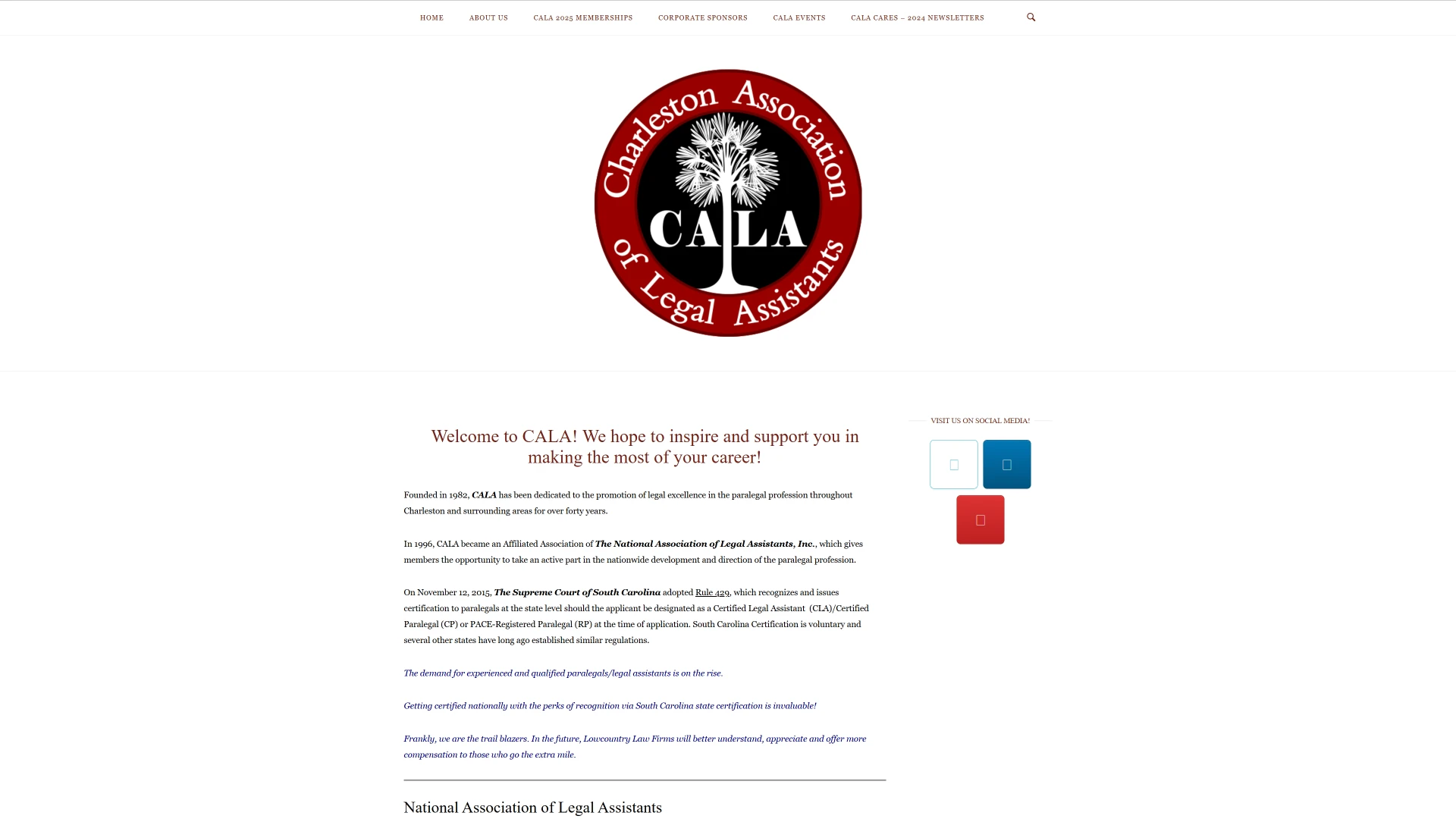
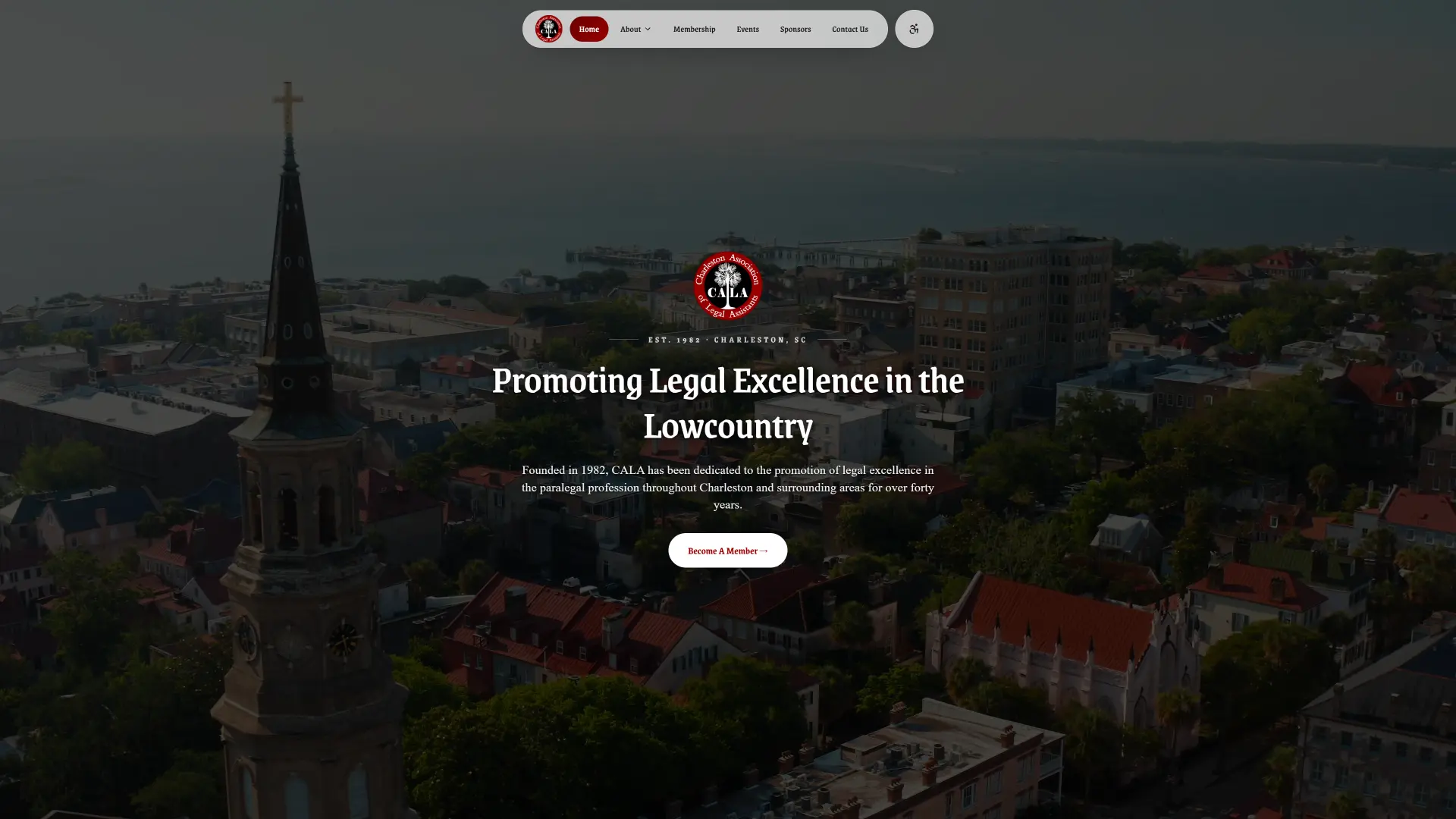 BeforeAfter
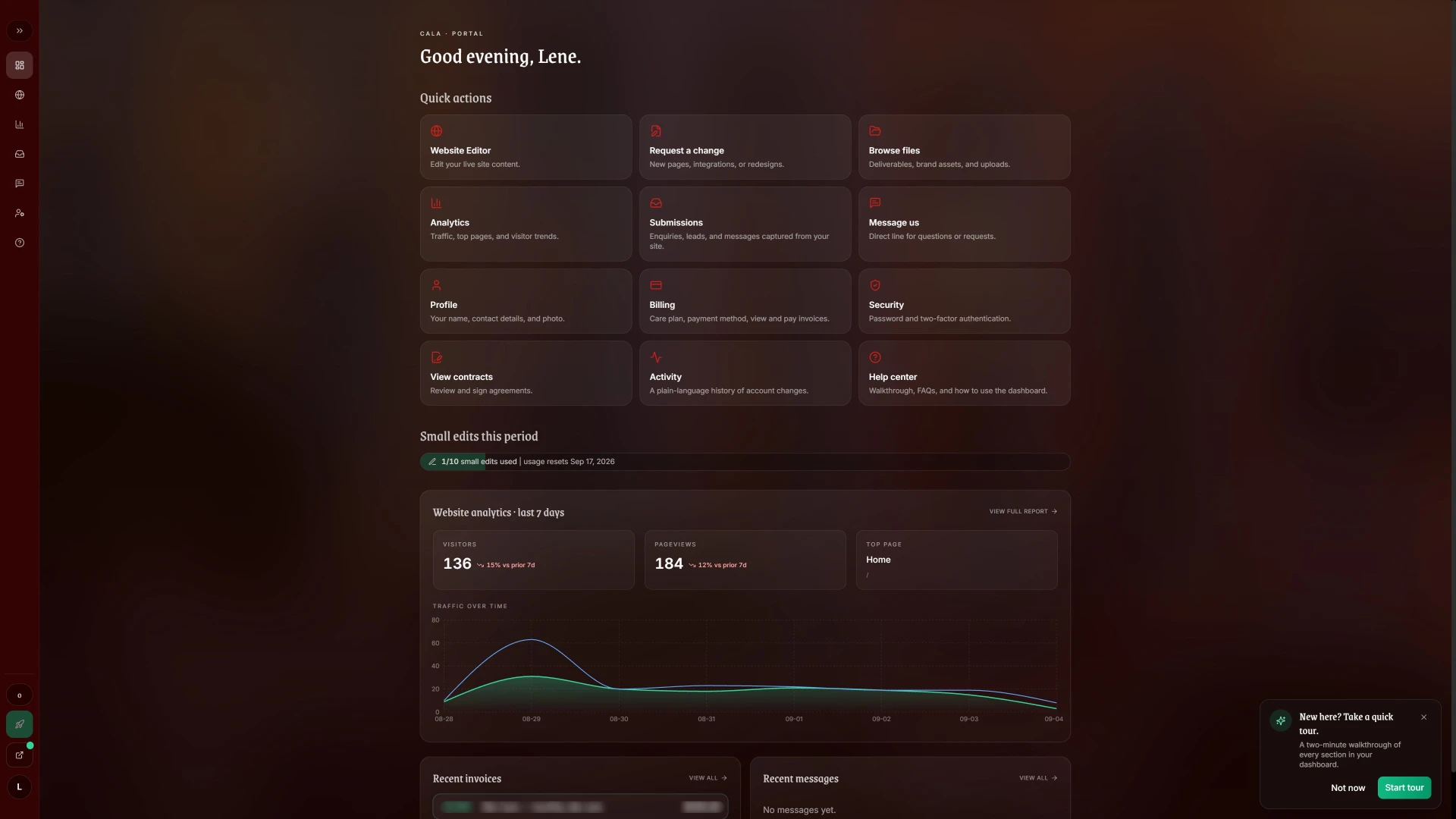
The biggest addition beyond the visual refresh was a full client dashboard, built so the board never has to touch code or rely on me for routine updates. Three decisions shaped it, each answering a constraint from the start of the project.
Because
A volunteer board rotates, and someone new eventually inherits the site.
01
Version history
So
Every edit is versioned. Whoever takes over can see what changed and why without tracking down the person who changed it.
Because
There's no developer on call.
02
Self-service editing
So
The board edits pages and posts events without code. Members RSVP directly on the events page instead of through the general contact form.
Because
The old site gave the board no visibility into who was visiting.
03
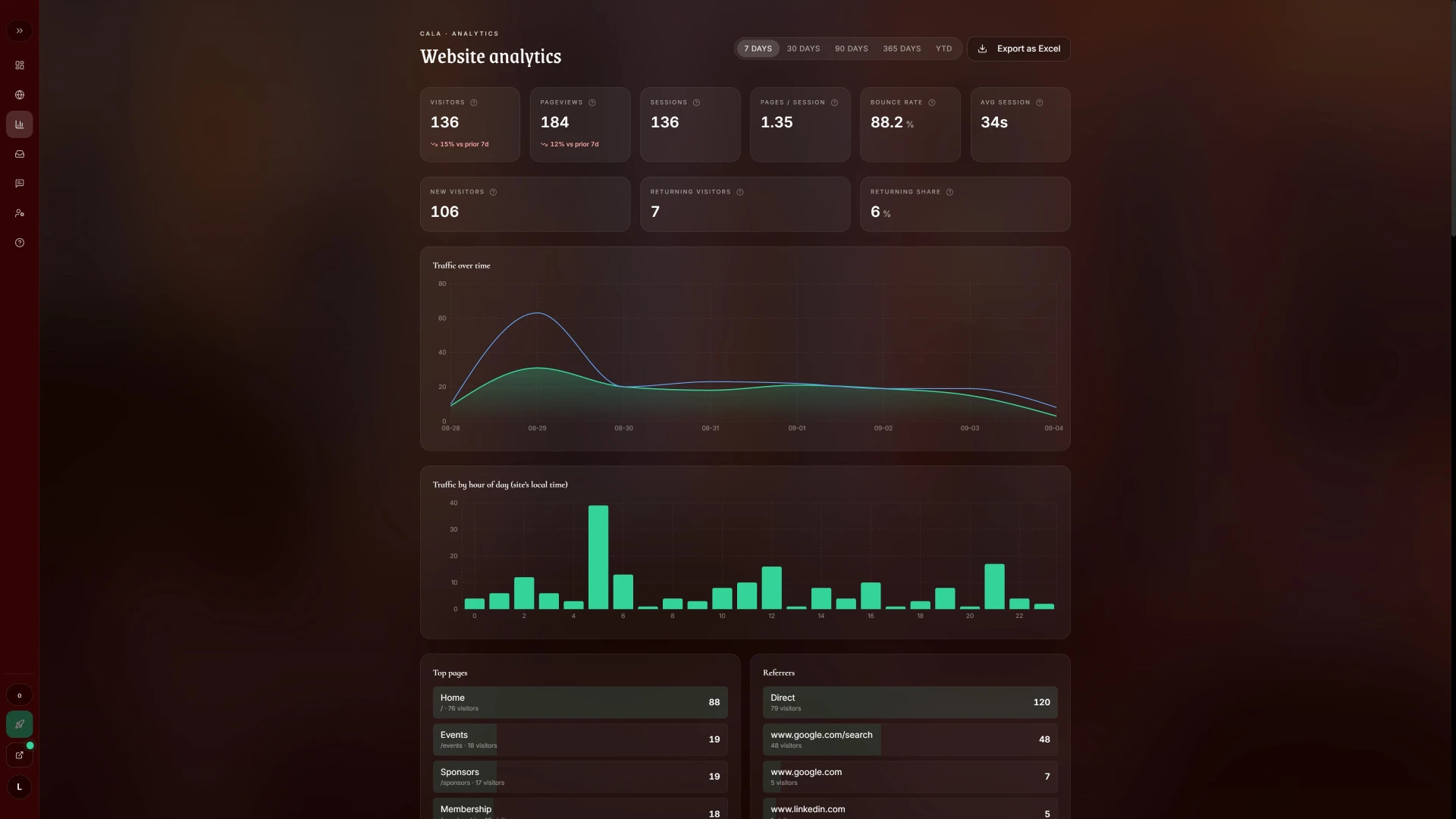
Analytics the board can read
So
Analytics detailed enough to show which pages drive membership interest, beyond raw traffic counts. The board has been checking them regularly since launch.
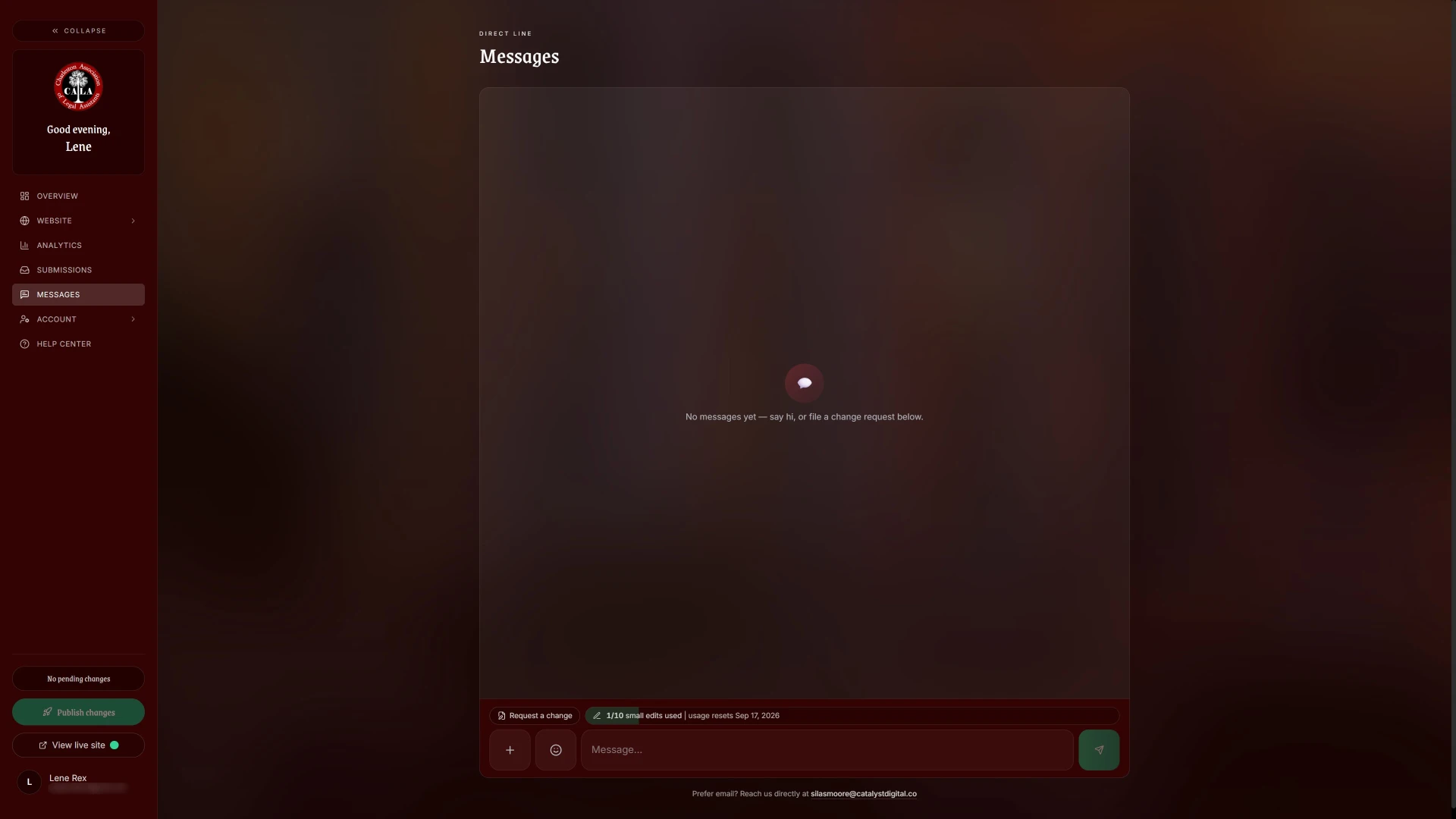
Direct messaging and invoice viewing round it out, so board questions reach me directly instead of getting lost in a shared inbox.
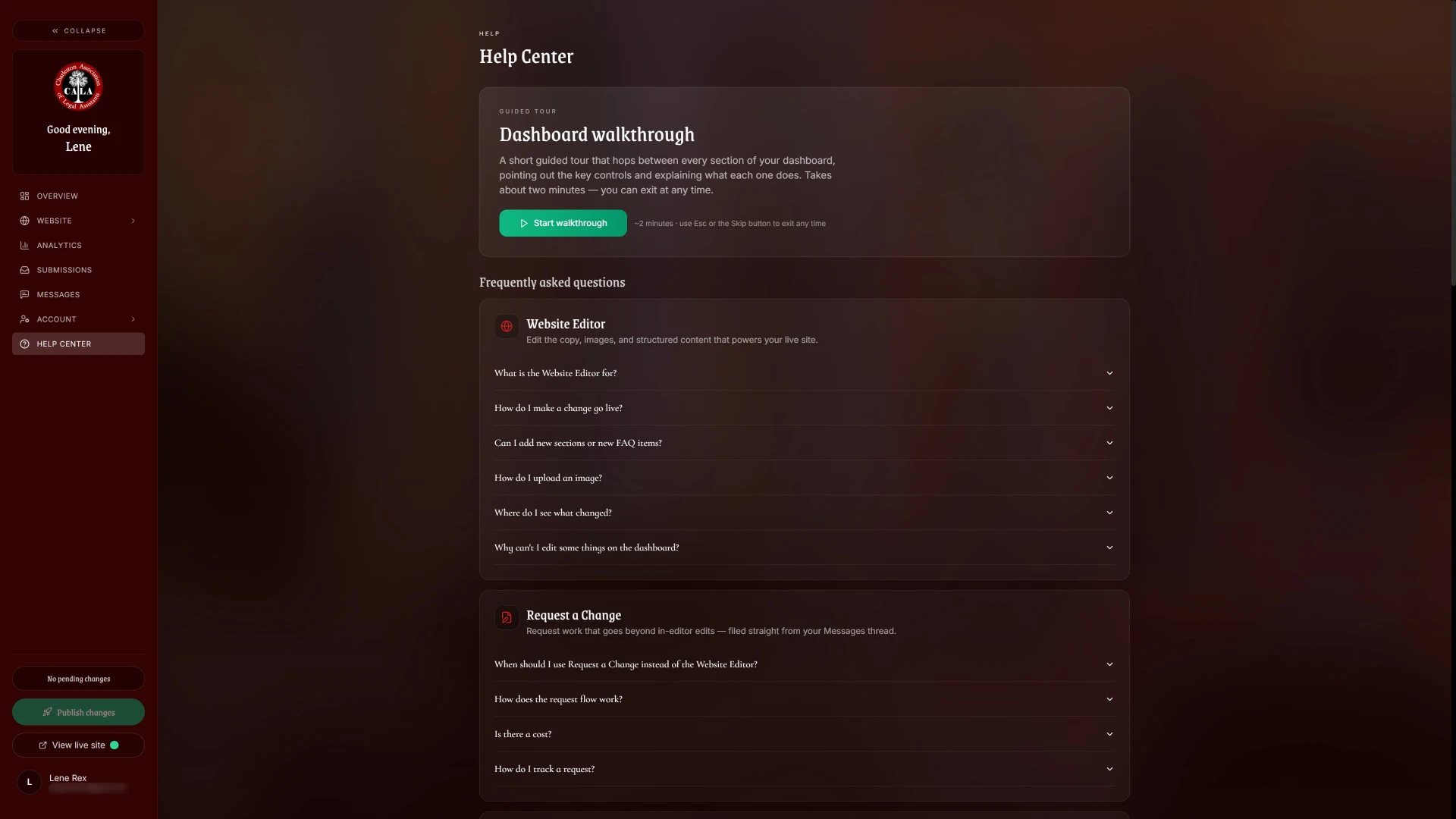
Every client dashboard, including CALA's, sits behind its own login with two-factor authentication, and all of them run on the same Catalyst Digital platform. The walkthrough below is a live demo of that shared platform, so you can try the experience yourself. CALA's own dashboard stays private to the board.
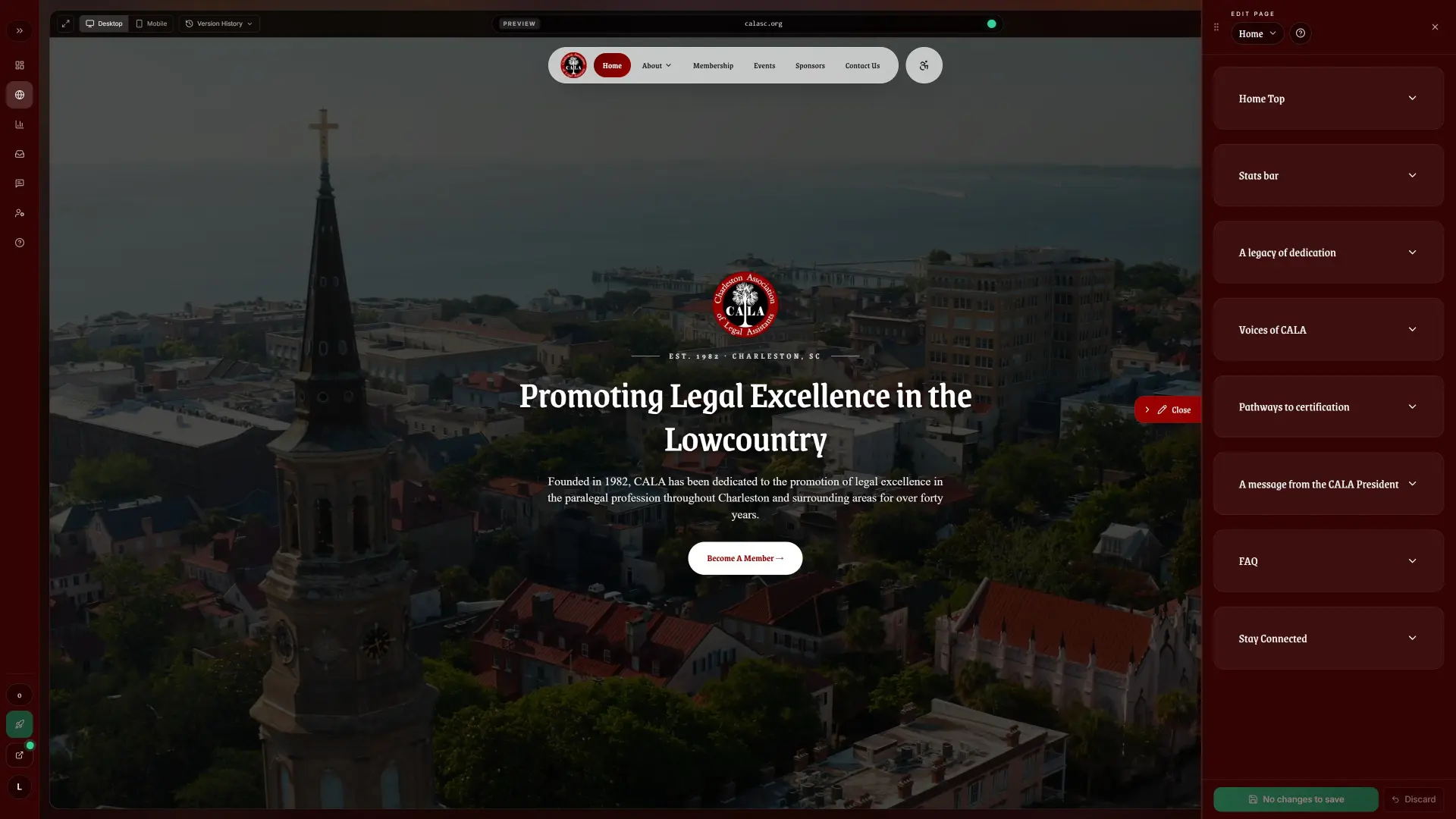
Dashboard screenshot 1 of 5
The old site had no CALA-specific SEO at all: it inherited a shared meta title, description, and Open Graph image from the platform it was hosted on. The redesign added unique meta titles, meta descriptions, and canonical tags to every page, along with Open Graph and Twitter Card metadata, Organization and WebSite JSON-LD schema, and BreadcrumbList structured data for site-wide entity recognition. I also added an llms.txt file, a proposed convention that gives AI tools a plain-language summary of a site's content. The old site had none of this, so it likely contributed to the traffic growth above, though I can't put a number on it.
This project had two sets of users: members on the public site, and the board, who are the primary users of the dashboard. The board's behavior since launch is the most direct user evidence I have.
The clearest signal is how quickly the board started using the dashboard without help. For a tool built so they'd never need me for routine updates, that independence is the goal met.
“Working with him on updating our website has been an outstanding experience, thanks to Silas. He was remarkably patient, knowledgeable, and always willing to assist ... His creative vision and clear instructions made the process easy. I highly recommend Silas!”
 Lene RexCALA
What the work taught me, and what I would do differently with the next one.
The hardest call on this project was about words. CALA had a lot to say, and deciding what a visitor sees first shaped the site more than any single layout did. Next time I'd give content its own line in the schedule from day one.
The launch numbers are strong, but they cover the first three weeks, and early figures can include a launch spike. I also can't separate what the redesign did from what the new search metadata did, since both shipped together. Before claiming either one caused the jump, I'd want a longer window, and ideally a staggered release.
The board has asked for a dedicated board members page that highlights more of CALA's leadership. It's a small addition and a good sign: they're asking for more because the site is now theirs to extend.
Launch day is when the measuring starts.
Each case study breaks down the problem, research, design decisions, and outcomes behind the final product.

Site for a Connecticut Portrait Photographer

Recipe Discovery and Sharing App

Interactive US Travel Planner
What I design to
Loading previews…
30-second previews courtesy of Apple Music.
Open the full playlist on Spotify (opens in a new tab)